
Use Pre-Defined Note Templates for Zoho CRM
With Note Templates for Zoho, create pre-defined note templates and use them in Leads, Contact, Deals, Meetings and Tasks. This streamlines note-taking and standardizes the structure across your organization.
Start Using Note Templates TODAY
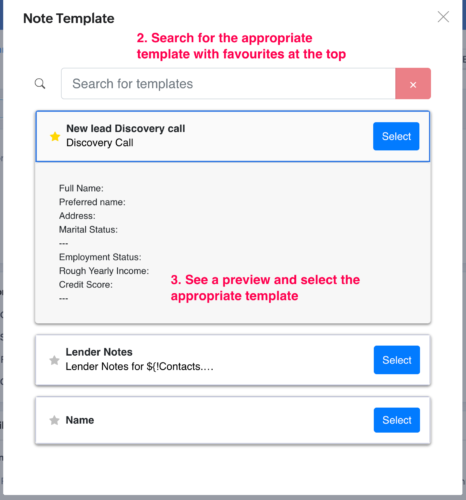
- Create note templates for common CRM notes
- View and edit templates to optimize templates
- Use dynamic merge tags to pull record-specific data
- Tag teammates for quick collaboration
- One-click save to record (Leads, Contacts, Deals, Meetings, Tasks)
The Problem
You’re Manually Re-Writing the Same Note Over and Over Again
- Repetitive activities (e.g. sales call) requires the same note with the same structure
- Without a template, details are often missed
- Notes structure is inconsistent across the team
- Manual notes often get skipped entirely
Use Note Templates in your CRM in 3 steps
Install the Note Template for Zoho extension in 30 seconds. Create your first template, and begin using it right away.
Step #1: Try Note Template on a 10 Day Trial
Install Note Template to your Zoho CRM.
Any troubles with setup? Reach out to our support team, and we can walk you through it:

Step #2: Create Your First Note Template
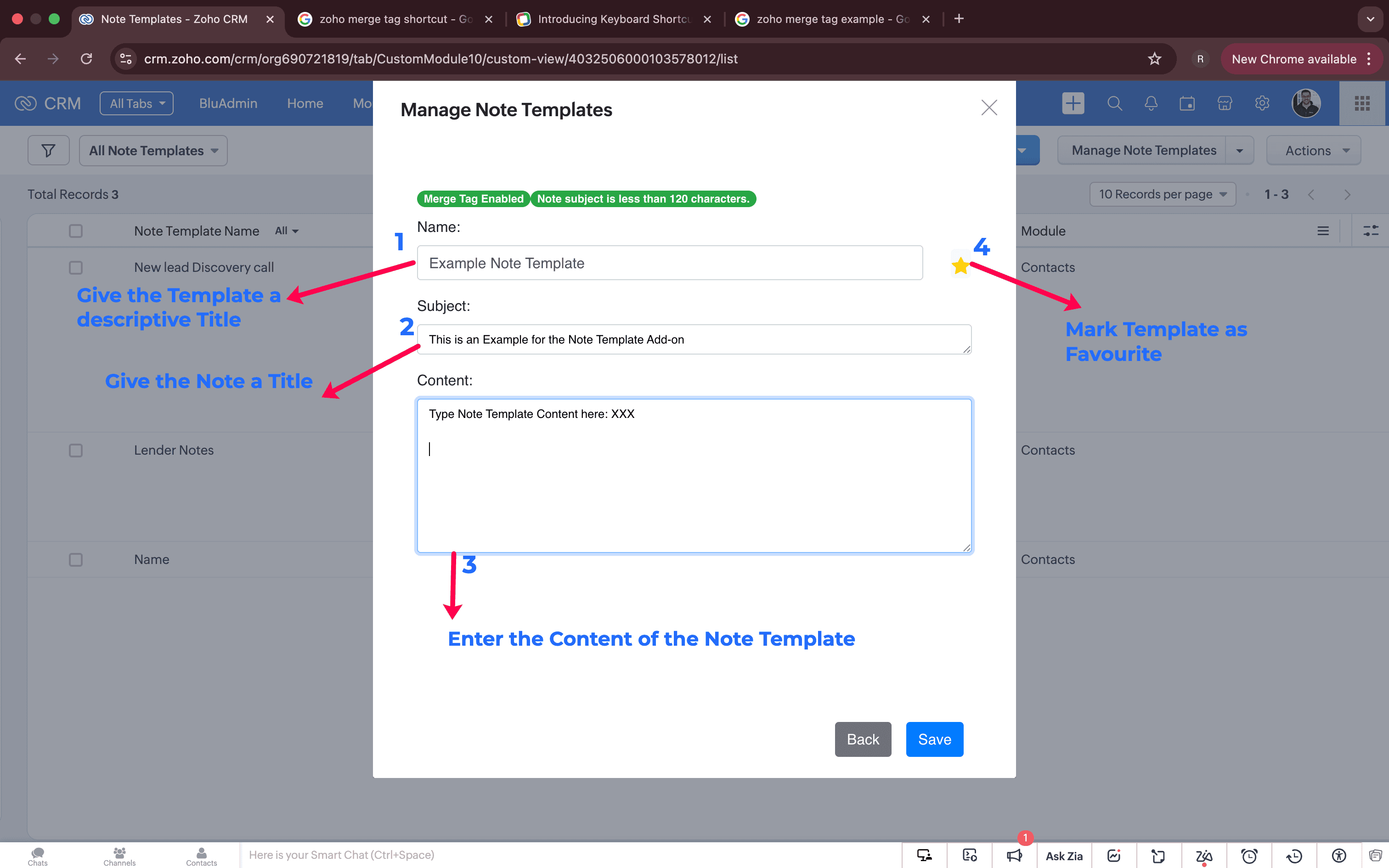
In the new “Note Templates” module, click on the “Manage Note Templates”.
From here, define the Name, Title and Content and hit “Save”.
Hint: To pull record-specific data, use a merge tag (just like an email template)!
Step #3: Use the Template in a CRM Record
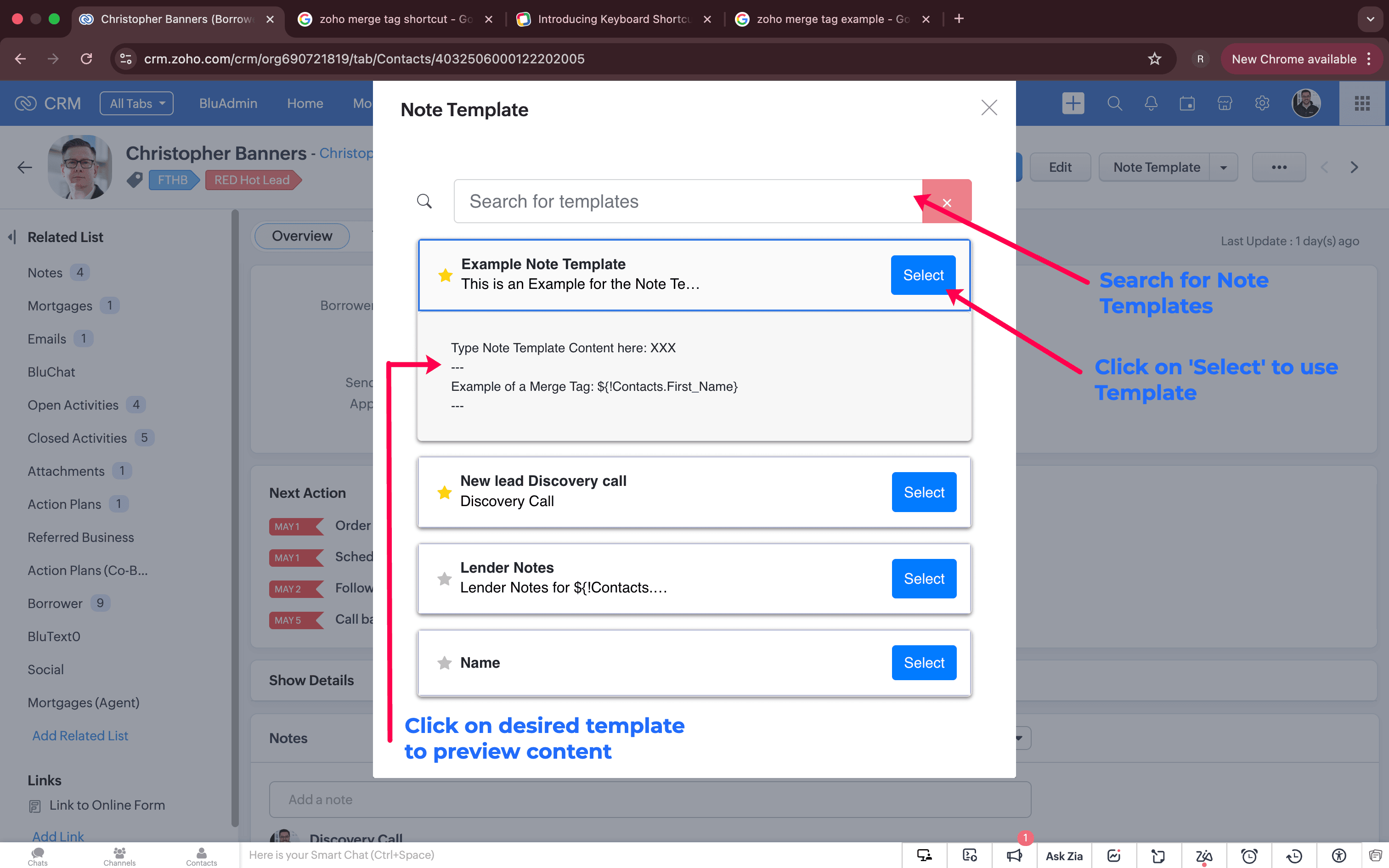
In Leads, Contacts, Deals, Meetings and Tasks, click the “Note Template” button.
Select the template you’d like to use, and update with record-specific details.
Hint: To collaborate, use the “@” button to tag a teammate in the note.
Step #4: Analyze Trends in Notes
New analytic opportunities are unlocked with standard note titles and content.
Example: Pull all notes with the “Sales Meeting” title, and see how many times “Pricing” is mentioned.
Ready to streamline and standardize note taking?
You’re minutes away from taking Note Templates for a test drive. Try it for free to see if it works for YOUR business:

- Instant download and setup
- Access to our support team for hands-on setup
- After 10 days, opt-in for $15/month
- Cancel anytime